What are the Best NFC Automation Ideas for Your Smart Home?
The best NFC automation ideas for your smart home are the ones that simplify your daily routine, save time, and make your home more convenient.
With a simple tap of your smartphone, NFC tags can automate everyday tasks, save time, and even reduce energy costs. These small, affordable tags have become increasingly popular because they work with platforms like Apple Shortcuts, Android, Home Assistant, Google Home, Apple Home, and SmartThings.
In this guide, you’ll discover practical NFC automation ideas that are perfect for modern Australian homes and lifestyles.
What Are NFC Tags and How Do They Work?
NFC stands for Near Field Communication, a wireless technology that lets two devices exchange information when they’re held very close together.
In a smart home, NFC tags are small, inexpensive stickers or cards that trigger an action when you tap them with your smartphone.
There are two main types of NFC technology:
- Passive NFC tags: Don’t need batteries and simply store information or trigger automations when scanned.
- Active NFC devices: Require power and can both send and receive data, such as smartphones and payment terminals.
Most NFC tags work within a reading distance of 2 to 5 centimetres, helping prevent accidental scans.
Compared to QR codes, NFC tags don’t need a camera or app to scan, just a quick tap. They typically cost only a few dollars each and can last for years with normal use.
Most modern iPhones (iPhone 7 and newer) and Android smartphones with NFC support can read NFC tags, making them an easy and affordable way to automate your home.
What Do You Need Before Using NFC Tags?
Getting started with NFC tags is simple, and you don’t need expensive equipment. At a minimum, you’ll need the following.
1. Hardware
- NFC stickers or cards to trigger automations.
- An NFC-enabled smartphone, such as a modern iPhone or Android device.
2. Software
Depending on your smart home setup, you can use:
- Apple Shortcuts
- Android automation apps
- Home Assistant
- Google Home
- Apple Home
- Samsung SmartThings
- Alexa Routines
If you’re unsure how these technologies differ, you can learn more from our comparison of a smart home, connected home, and home automation.
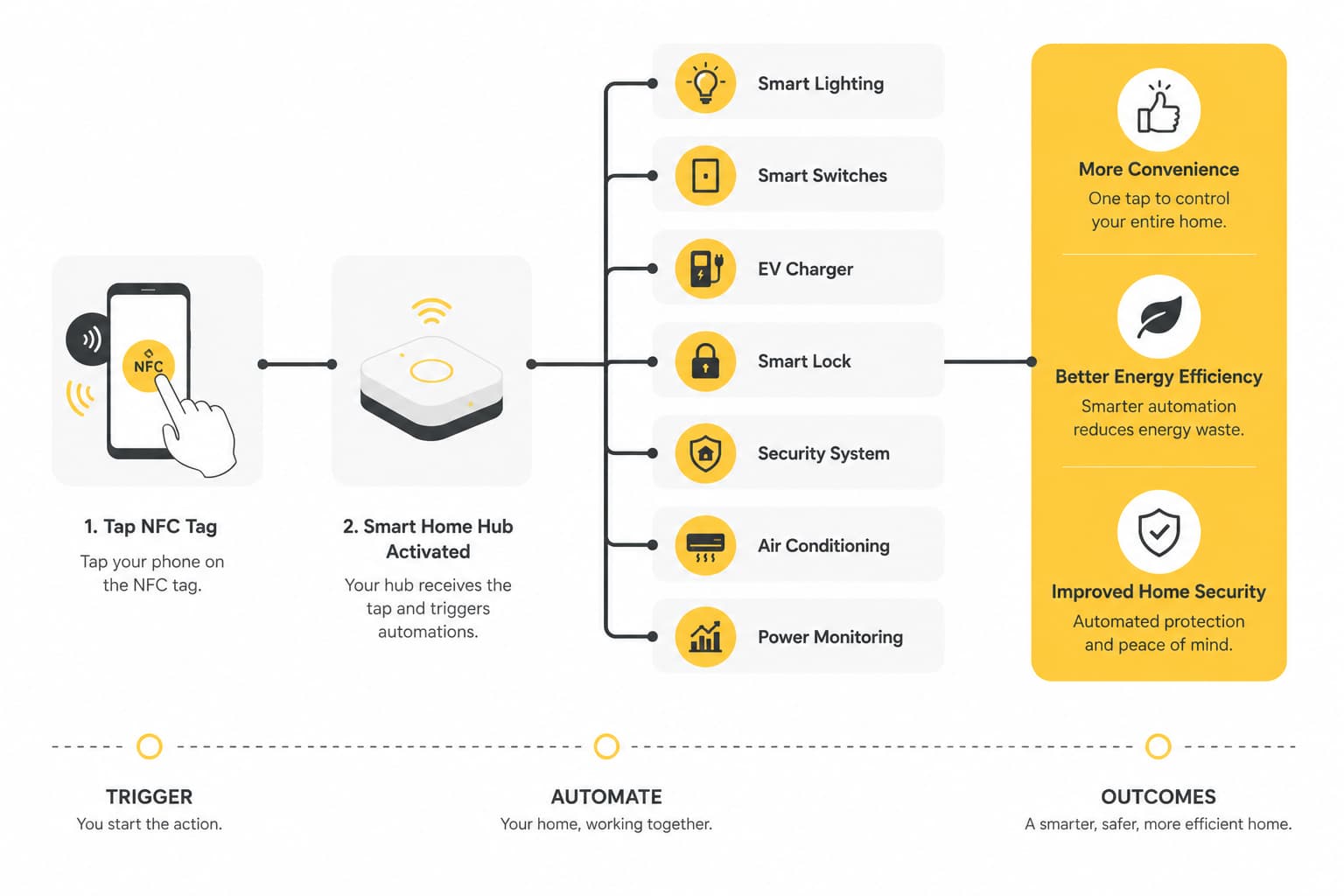
You can also connect NFC tags to smart home devices for even more useful automations, including smart switches, lighting, plugs and locks, motion or door sensors, or a home automation hub.
With the right combination of hardware and software, a single tap can control multiple devices at once. If you’re planning a fully connected smart home, professional installation can help ensure everything works together seamlessly.
Best NFC Automation Ideas for Everyday Life
One of the best things about NFC tags is how flexible they are. Whether you want to save time, reduce energy costs, or make your daily routine easier, there’s an NFC automation idea to suit almost every part of your home.
Here are some practical ways to use NFC tags in everyday life.
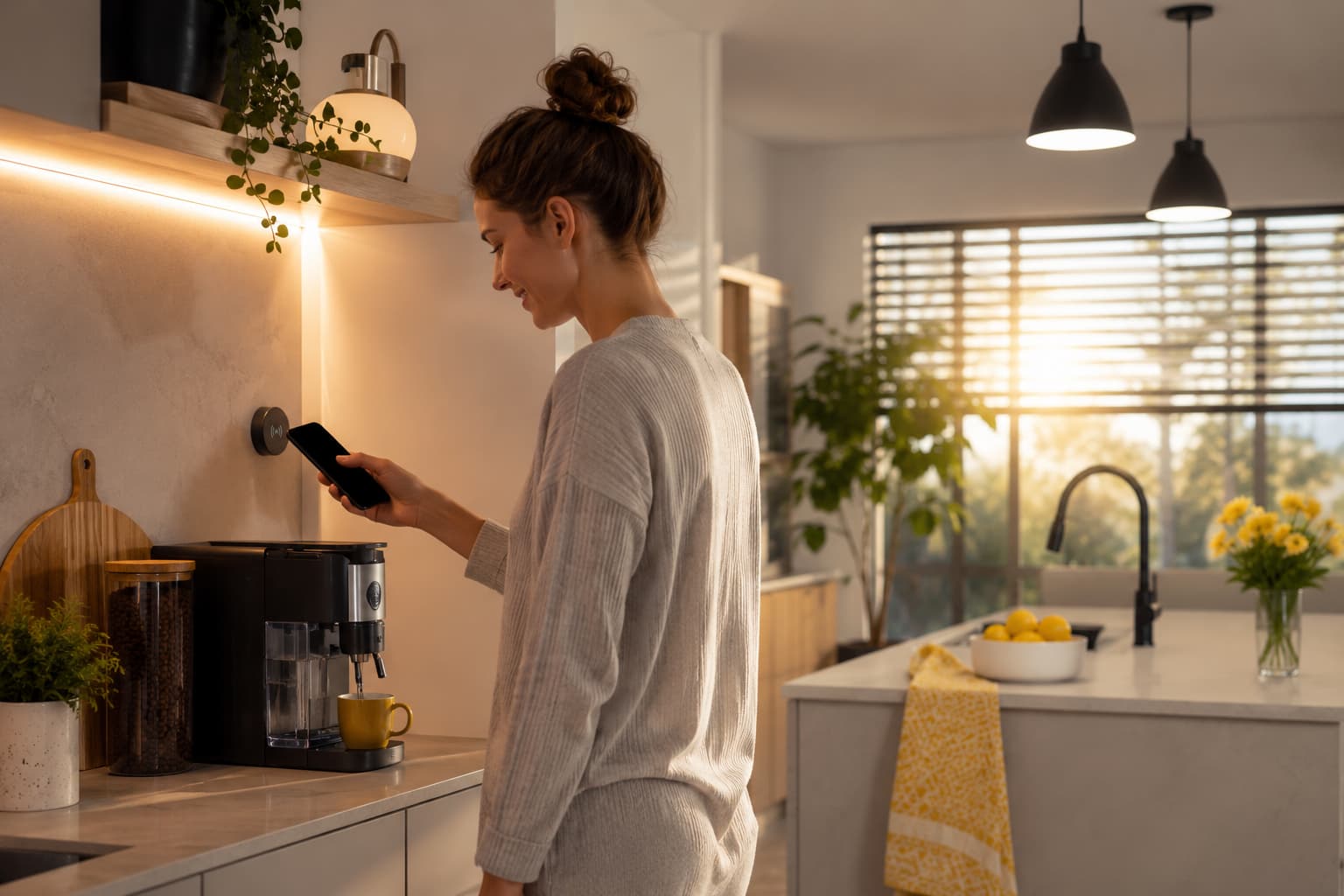
1. Morning Routines
☕ Morning Coffee & News
Start your day with a single tap by placing an NFC tag beside your espresso machine. It can:
- Warm up your coffee machine.
- Open your smart blinds.
- Turn on your kitchen lights.
- Read today’s weather forecast.
- Open your favourite news app.
- Start your Spotify morning playlist.
Pairing NFC tags with smart lighting can make your morning routine even more convenient.
☀️ Good Morning Routine
Create a personalised morning routine that prepares you for the day by:
- Opening your calendar.
- Checking traffic conditions.
- Adjusting your air conditioning.
- Turning on lights.
- Displaying the weather forecast.
These types of automations are just one of the many benefits of home automation for busy households.
🚿 Bathroom Routine
Place an NFC tag near your bathroom mirror or door to:
- Start your shower playlist.
- Turn on bathroom lighting.
- Switch on the exhaust fan.
- Activate a heated towel rail.
2. Family & Household Routines
🎒 School Run Routine
Place an NFC tag on your pantry door or near your front door to help streamline busy mornings. A quick tap can:
- Play the kids’ school playlist.
- Check traffic before leaving.
- Turn off the iron.
- Switch off the hair straightener.
- Adjust your thermostat.
- Notify family members that you’ve left home.
🧺 Household Timers
Stick NFC tags on appliances such as your:
- Washing machine
- Dryer
- Dishwasher
- Oven
A quick tap can start a timer or reminder, helping you know when your appliance cycle is finished.
🛒 Grocery Shopping
Place an NFC tag inside your pantry to quickly:
- Open your shopping list.
- Add items as they run out.
- Share your grocery list with family members.
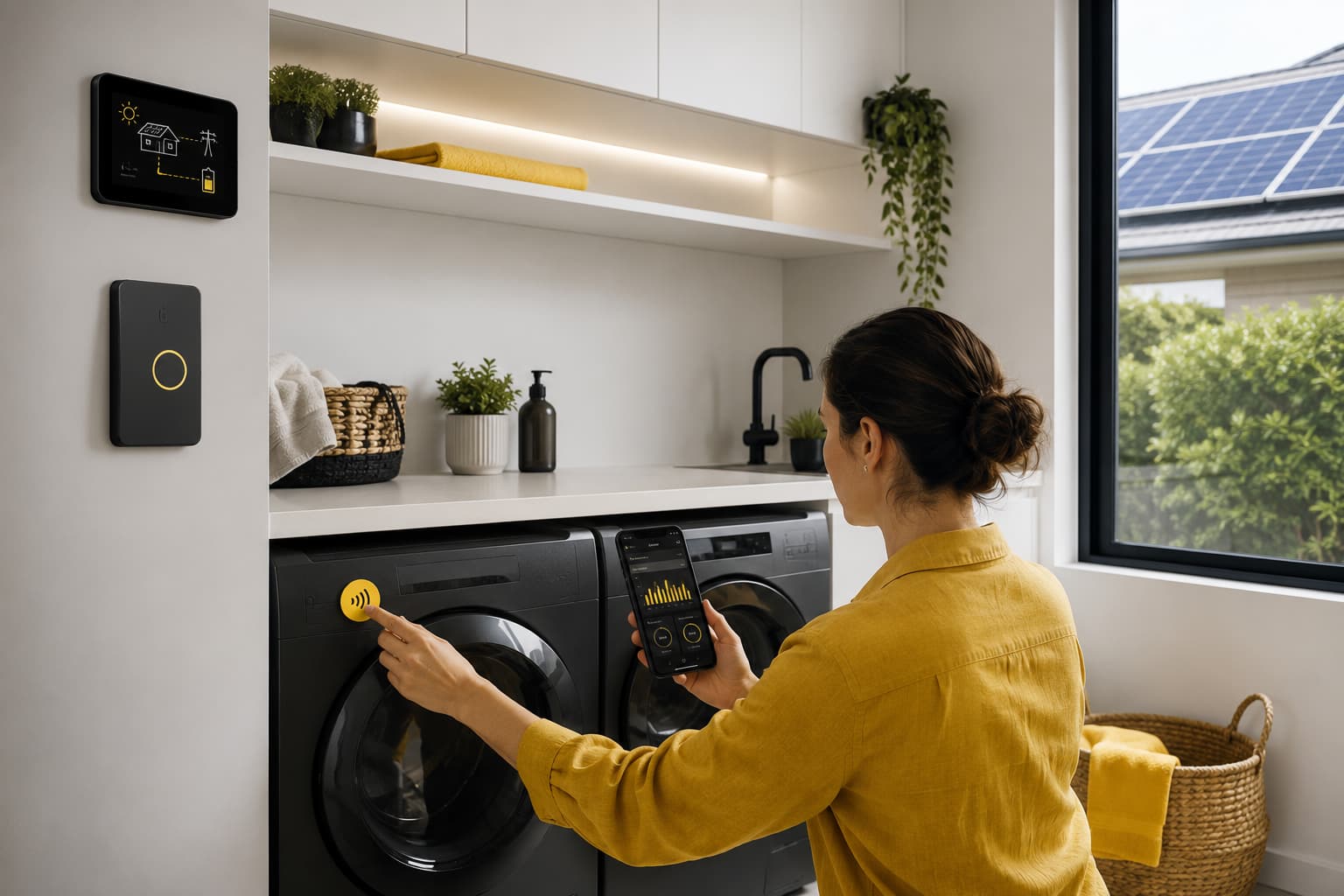
3. Energy-Saving Automation Ideas
☀️ Solar & Appliance Optimisation
This is a great option for Australian homes with rooftop solar. Place an NFC tag on your washing machine or dishwasher to:
- Check current solar generation.
- View peak or off-peak electricity tariffs.
- Delay the appliance until electricity is cheapest.
- Trigger a Home Assistant automation.
Running appliances when solar production is highest, or electricity rates are lowest, can help reduce your energy bills. If you’re adding more smart devices and high-powered appliances, it may also be worth knowing when you should upgrade your home switchboard.
📊 Home Energy Dashboard
Place an NFC tag near your switchboard to instantly display:
- Current solar production
- Battery storage level
- Household energy consumption
- Daily electricity costs
⚡ EV Charging Routine
Make charging your electric vehicle easier by tapping an NFC tag to:
- Delay charging until off-peak hours.
- Start a scheduled charging session.
- Check your vehicle’s battery status.
Planning to charge your EV at home? Learn more about our EV charger installation services.
4. Car Automation Ideas
🚗 Car Commute Settings
Attach an NFC tag to your dashboard or phone mount. Before driving, one tap can:
- Turn on Do Not Disturb.
- Open navigation to work.
- Connect Bluetooth.
- Start your favourite music.
- Adjust media volume.
- Display your calendar.
🏠 Returning Home
When you arrive home, a tap can automatically:
- Open your garage door.
- Turn on outdoor or hallway lights.
- Unlock your smart lock.
- Disable your home alarm.
5. Smart Home Scenes
🛏️ Bedtime Routine
Simplify your nightly routine with one tap to:
- Turn off lights.
- Lock the doors.
- Arm the security alarm.
- Adjust the air conditioning.
- Start white noise or relaxing sounds.
🎬 Movie Night
Create the perfect cinema experience by:
- Dimming the lights.
- Closing smart blinds.
- Turning on the TV.
- Starting your sound system.
🧹 Cleaning Mode
Preparing to clean becomes easier when a tap can:
- Start your robot vacuum.
- Turn on bright lighting.
- Play your favourite cleaning playlist.
6. Guest & Visitor Automation
📶 Guest Wi-Fi Access
Place an NFC tag near your entrance so visitors can quickly:
- Join your guest Wi-Fi network.
- Access a digital house guide.
- View appliance instructions.
It’s much quicker than manually entering long Wi-Fi passwords.
🏡 Airbnb Guest Automation
If you host short-term accommodation, an NFC tag can provide guests with:
- Wi-Fi details.
- A welcome guide.
- Check-out instructions.
- Emergency contact information.
7. Productivity & Phone Automation
📱 Everyday Phone Shortcuts
With one tap, you can quickly:
- Enable Focus Mode.
- Switch your phone to Silent Mode.
- Start a workout.
- Open your voice recorder.
- Launch your notes app.
- Open your camera.
- Access your password manager.
These simple automations can save time and reduce the number of steps needed to complete everyday tasks.
How to Plan Your NFC Smart Home
You don’t need to automate every room straight away. The best approach is to start with one or two routines you use every day, then gradually add more as your smart home grows.
Think about the tasks you repeat most often, such as making coffee, locking up at night or checking your energy usage. Placing NFC tags in convenient locations around your home can make these routines quicker and easier with just one tap.
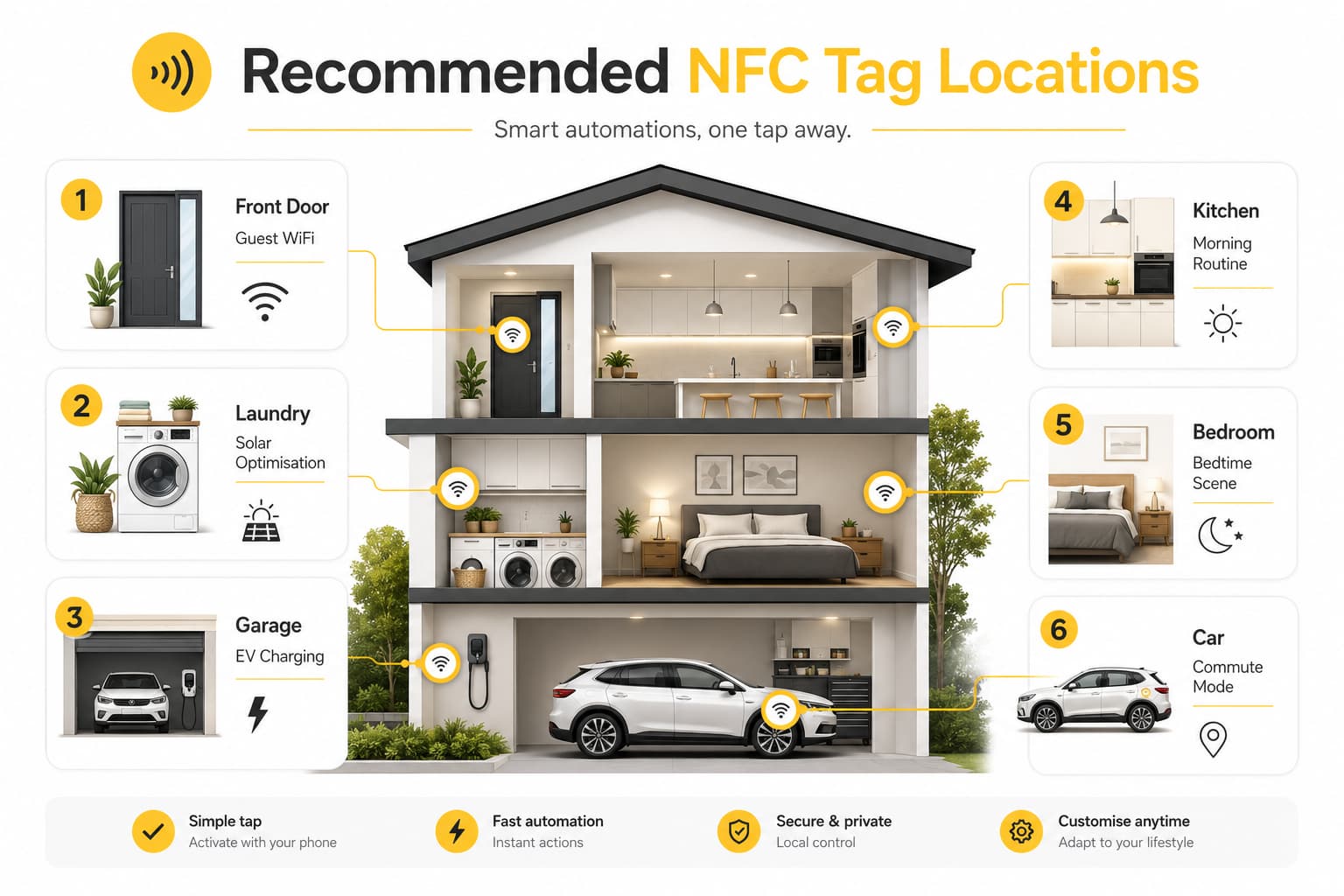
Here’s a planner you can use to map out where to place NFC tags and the automations that would suit your lifestyle.
| Room / Location | Where to Place the NFC Tag | Suggested Automation | Difficulty | Benefits |
| Front Door | Behind the door frame or on an entry table | Guest Wi-Fi access, Welcome Home scene | Easy | Convenient access for visitors and quick smart home control |
| Kitchen | Beside the coffee machine | Morning coffee routine, lights, weather and news | Easy | Start your day with one tap |
| Pantry | Inside the pantry door | Grocery shopping list or School Run routine | Easy | Stay organised and save time |
| Bedroom | Bedside table | Bedtime scene, lights off, lock doors and arm alarm | Easy | Improve convenience and home security |
| Living Room | TV cabinet | Movie Night scene | Easy | Create the perfect entertainment setup |
| Laundry | Washing machine or dryer | Laundry timer or solar appliance optimisation | Medium | Save energy and avoid forgetting finished loads |
| Garage | Near your EV charger | Schedule EV charging during off-peak hours | Medium | Reduce charging costs |
| Car | Dashboard or phone mount | Driving mode, navigation and music | Easy | Safer and more convenient commuting |
Pro Tip: When planning your NFC smart home, think about which devices and systems you want each tag to control. Start with the automations you’ll use every day, such as your morning routine or bedtime scene.
Once you’re comfortable using NFC tags, you can expand your setup with smart lighting, appliances, and other connected devices. If you’re unsure which devices can be installed or integrated into your home’s electrical system, see our guide on whether an electrician can install smart home devices.
Common NFC Automation Mistakes to Avoid
NFC tags are simple to use, but avoiding these common mistakes will help your automations run more smoothly and reliably:
- Buying incompatible NFC tags: Not all NFC tags work with every device or automation platform. Choose quality tags that are compatible with your smartphone and smart home setup.
- Placing tags in awkward locations: Install NFC tags where they’re easy to reach, such as beside your coffee machine, front door or bedside table.
- Using automations that require unnecessary confirmation: Wherever possible, create automations that run with minimal user interaction to make them quicker and more convenient.
- Forgetting security for sensitive routines: Avoid using easily accessible NFC tags for actions like unlocking doors or disabling alarms without extra security.
- Not backing up your automations: Save your routines regularly so they’re easy to restore if you change or reset your phone.
- Using NFC when another trigger is more suitable: Some tasks work better with geofencing, schedules, or voice control instead of a manual tap.
Ready to Build a Smarter Home?
NFC tags are a simple and affordable way to automate everyday tasks, but they’re even more powerful when they’re part of a fully connected smart home.
By combining NFC automations with smart lighting, switches, power monitoring, EV chargers and other connected devices, you can create a home that’s more convenient, energy-efficient and secure.
At Canny Electrics, we design and install smart home solutions that work seamlessly with your favourite automation platforms and NFC-triggered routines. Whether you’re just getting started or planning a complete smart home upgrade, our experienced electricians are here to help.
Call Canny Electrics today on 1300 522 446 to discuss the right smart home solution for your lifestyle.
About Author